Instrument maintenance instructions
The Serstech 100 Indicator, is classified according to IP67 meaning it has a degree of resistance to water and dust. However, the spectrometer is a delicate instrument and it is important to handle it with care. In order to keep it clean from fat and excess dirt, please follow the instructions described below.
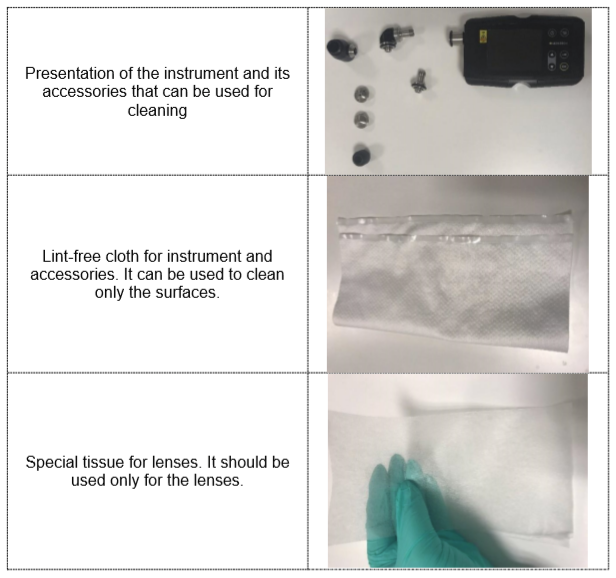
Standard method of cleaning (removing fat from the surfaces)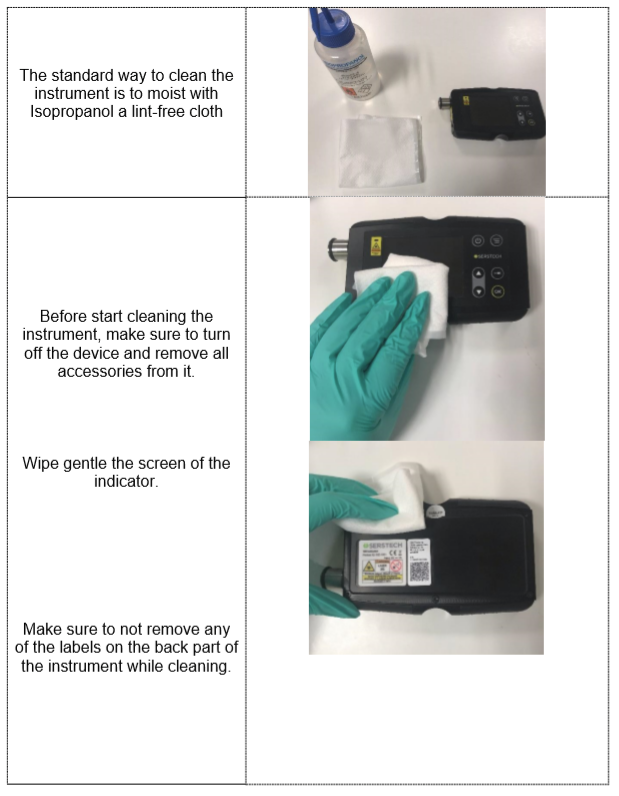
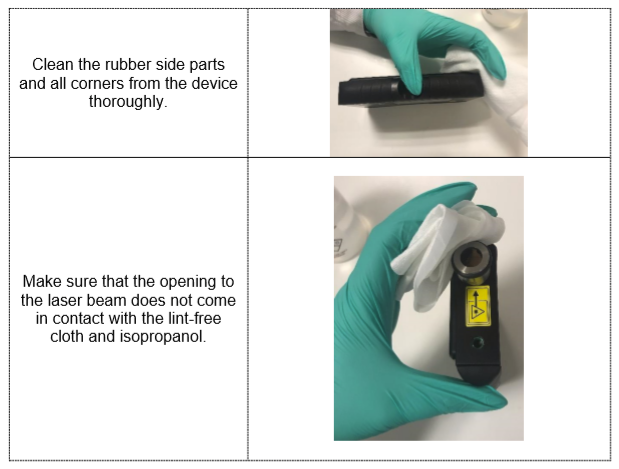
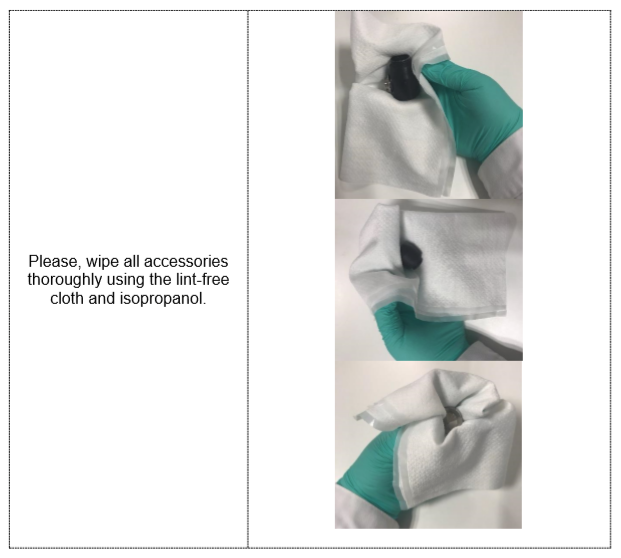
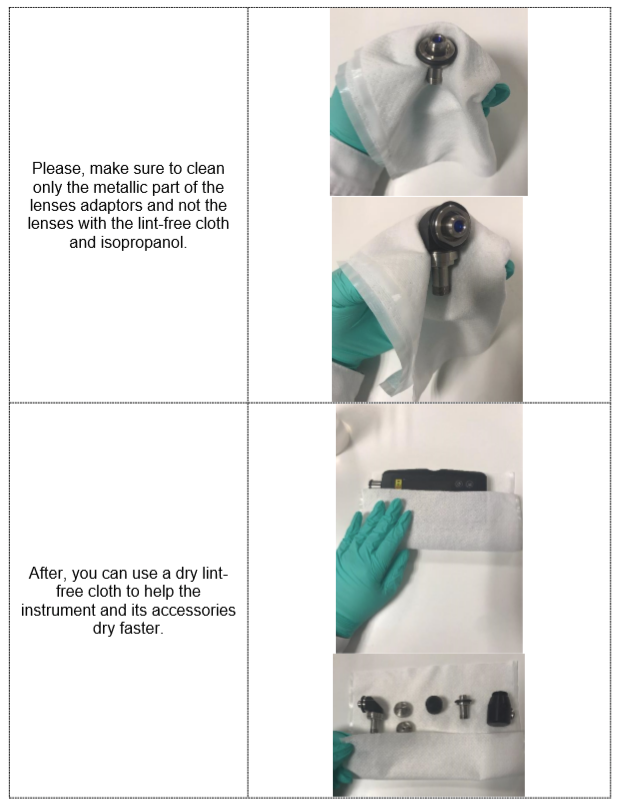
Cleaning of excess dirt
If the instrument has be subjected to contamination or excessive in its surfaces (eg. Soil, you need to follow a different method.
If the instrument has be subjected to contamination or excessive in its surfaces (eg. Soil, you need to follow a different method.
First, use a dry lint-free cloth to remove the excess dirt.
Second step is to wet a lint-free cloth using a non-abrasive, solvent free neutral soap and clean only the instrument’s surfaces very gently (please do not clean the lenses with any kind of soap).
Third step is to remove any excess of the solvent free-neutral soap by whipping with a dry lint-free cloth.
Fourth step is to use a wet lint-free cloth with Isopropanol to wipe the surfaces plus the instrument’s accessories.
Last step is to use a dry lint-free cloth to dry the instrument’s surfaces. Again, if you need to clean excess dirt from the lenses please wet the special lens wipe with isopropanol and follow the steps mentioned before.
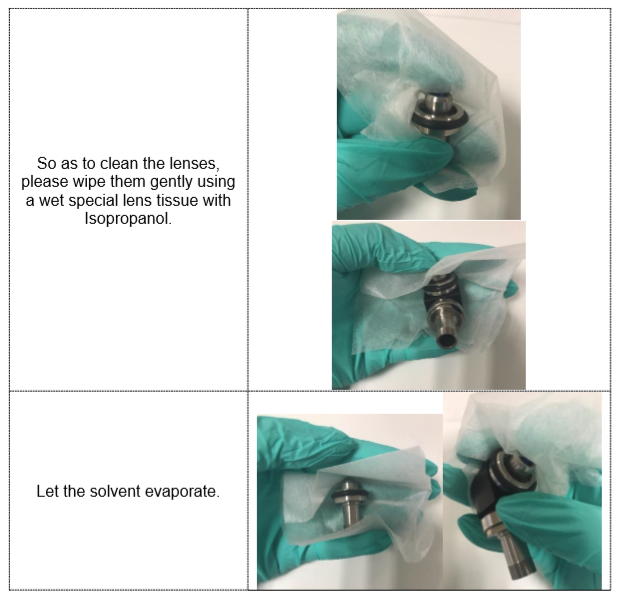
So as to clean the lenses, please wipe them gently using a wet special lens tissue with Isopropanol.
-NOTE!!! Be careful not to scratch or damage the display while wipping Using solvents stronger than Isopropanol can damage or resolve the labels on the back of the instrument
This instruction is also available as PDF (see attachment)
So as to clean the lenses, please wipe them gently using a wet special lens tissue with Isopropanol.
-NOTE!!! Be careful not to scratch or damage the display while wipping Using solvents stronger than Isopropanol can damage or resolve the labels on the back of the instrument
This instruction is also available as PDF (see attachment)
Related Articles
How to perform a soft reset in order to fix the battery problem
Do you experience problems with the battery on the Indicator 100? If yes, this is probably due to a bug that is applicable to firmware 5.4.1 and earlier. Even if you have upgraded to later firmware, you could still experience issues like, battery is ...Why and how do I unpair my device?
If you have already connected one device to one PC where is the software ChemDash ONEor Pharma installed, then the device will pair with this specific PC. In case you want to use the same device on a ChemDash that is installed on a different PC then ...